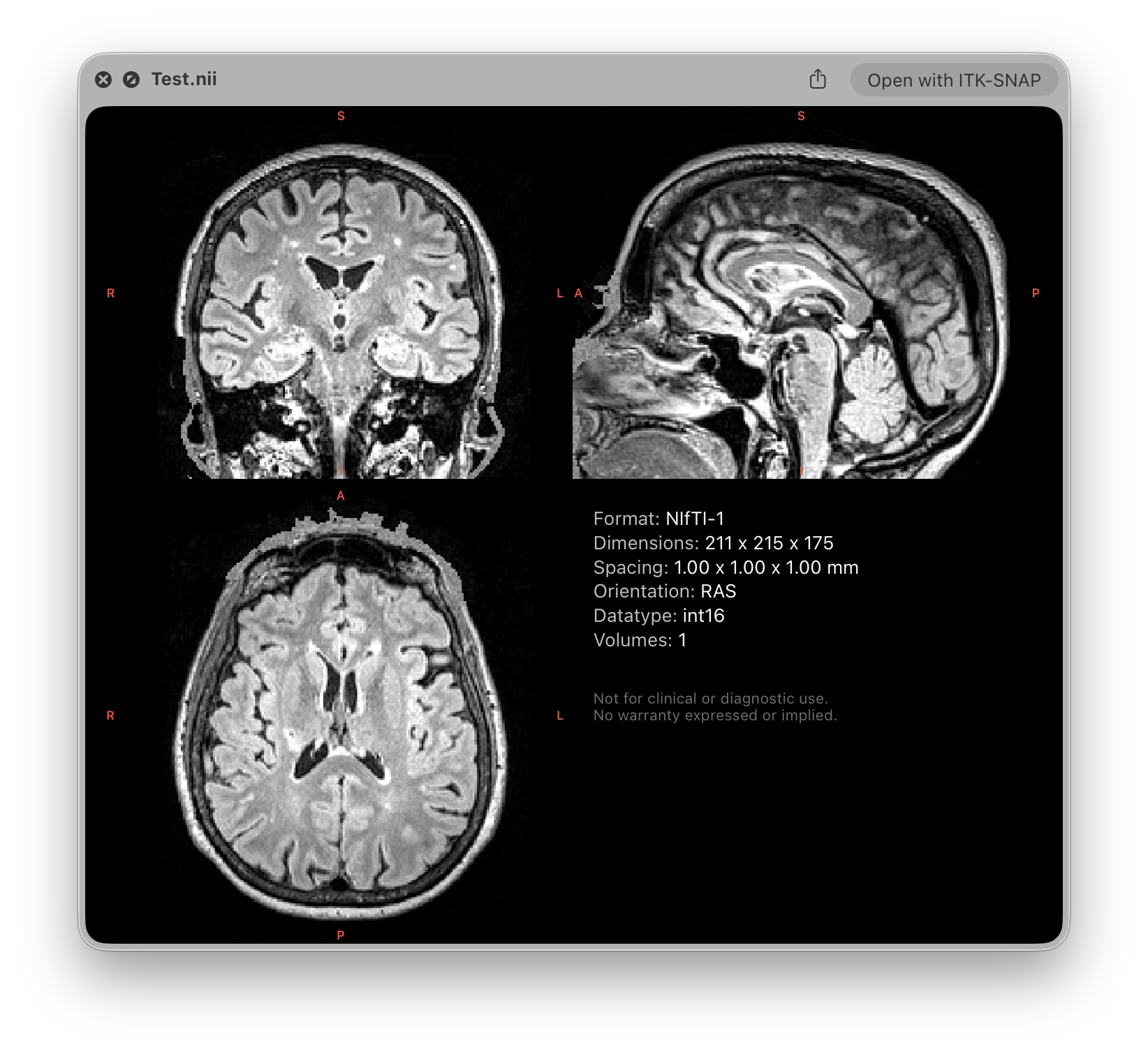
MIQ is a lightweight macOS Quick Look extension for medical volume images. Press Space on a supported file to instantly get an interactive orthogonal slice view and a metadata panel. No app to open, no waiting.
Universal binary · Apple Silicon & Intel · macOS 14 Sonoma, 15 Sequoia, 26 Tahoe, 27 Golden Gate
Why MIQ
Built for a quick look, and nothing else
A convenience tool for quickly inspecting medical image files from the Finder. It prioritizes speed and ease of use over advanced visualization.
🧭
Interactive 4D view
Scrub through slices and volumes, move the crosshair, and adjust window/level, all inside the preview window.
⚡
Fast by design
Local uncompressed files are memory-mapped and load instantly. Compressed NIfTI is partially decompressed for a quick first frame. On network volumes, NIfTI previews read only the first volume, staying fast over slow connections.
🎛️
Customizable
Tune orientation, intensity scaling, label colors, and the metadata panel content and order in the companion app.
📐
Honest orientation
Shows data as stored on disk by default, so you see the raw orientation. Switch to neurological or radiological view if you prefer.
🖼️
Finder thumbnails
Optionally show an image slice as the file icon, so you can recognize volumes at a glance while browsing.
🎨
Segmentation colors
Automatically colors integer label maps (segmentations), using the canonical FreeSurfer LUT for aseg/aparc parcellations. Can be switched off in the companion app.
Research Companion
The formats you actually use
All file formats are supported uncompressed and gzip-compressed.
✅
NIfTI-1 & NIfTI-2
.nii.nii.gz
✅
FreeSurfer
.mgh.mgz.mgh.gz
✅
MRtrix
.mif.mif.gz
✳️
NRRD
.nrrd
MIQ only supports volume files in research formats, DICOM is currently not supported. MIQ relies on the file extension to determine the format, so it’s important that files have the correct extension.
⚠️ Not a medical device. MIQ is not intended for diagnostic use. It is a developer and researcher convenience tool only. Do not use it to make clinical decisions. Provided “as is” under the MIT License, without warranty of any kind.